Skip to content
Loading portfolio
Windows desktop app

Nottli

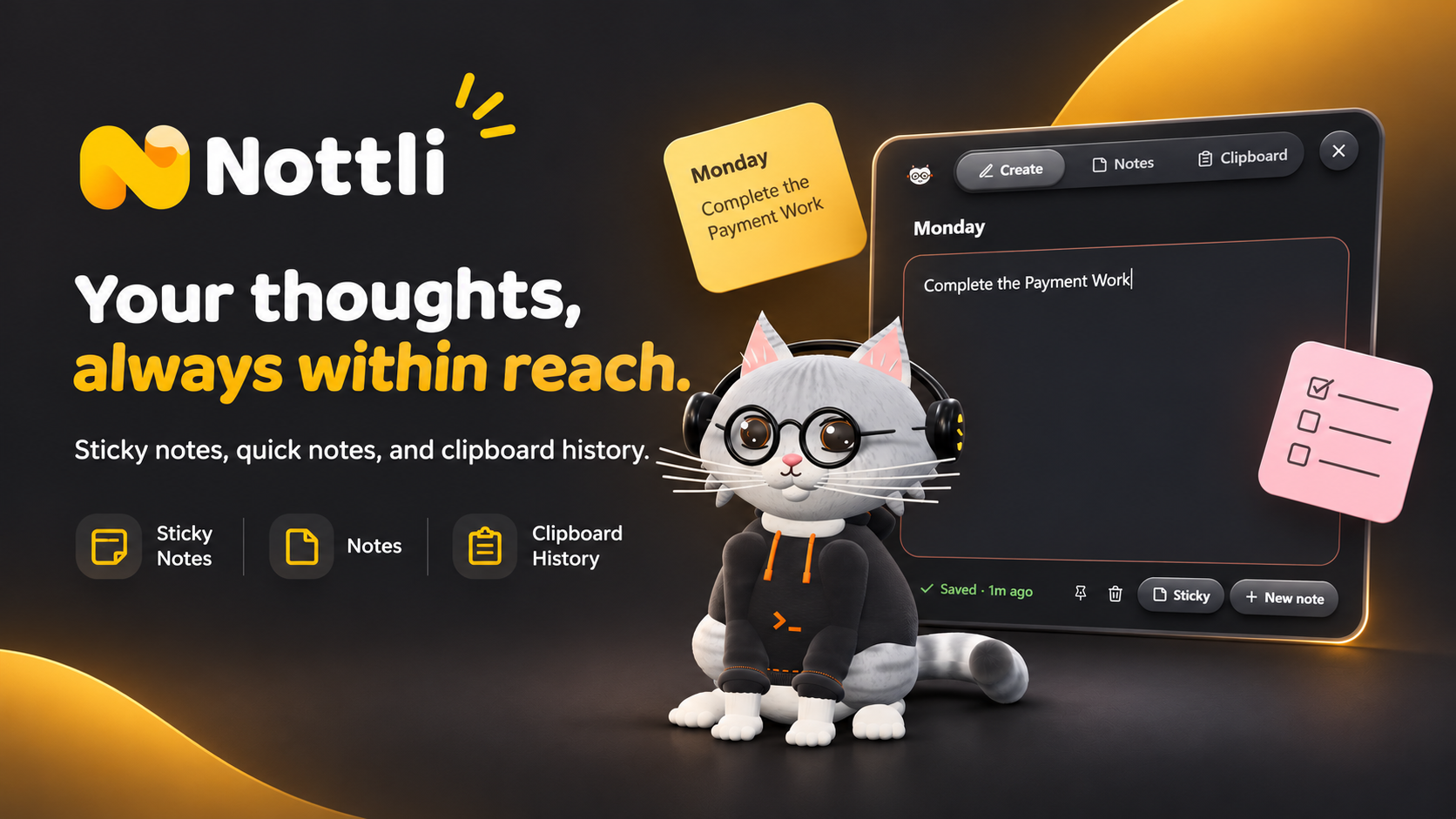
Your thoughts, always within reach.

A lightweight Windows desktop productivity companion that brings sticky notes, note management, and clipboard history together in one seamless workspace.

Nottli: Nottli on the Windows desktop
Type
Desktop productivity app
Platform
Windows
Role
Product design & full-stack development

Overview

One connected desktop experience

Instead of switching between apps to write reminders, manage tasks, or retrieve something you copied earlier, Nottli keeps everyday information close to your workflow. It stays unobtrusive, with quick interactions and persistent information rather than another large productivity dashboard.

Desktop sticky notes

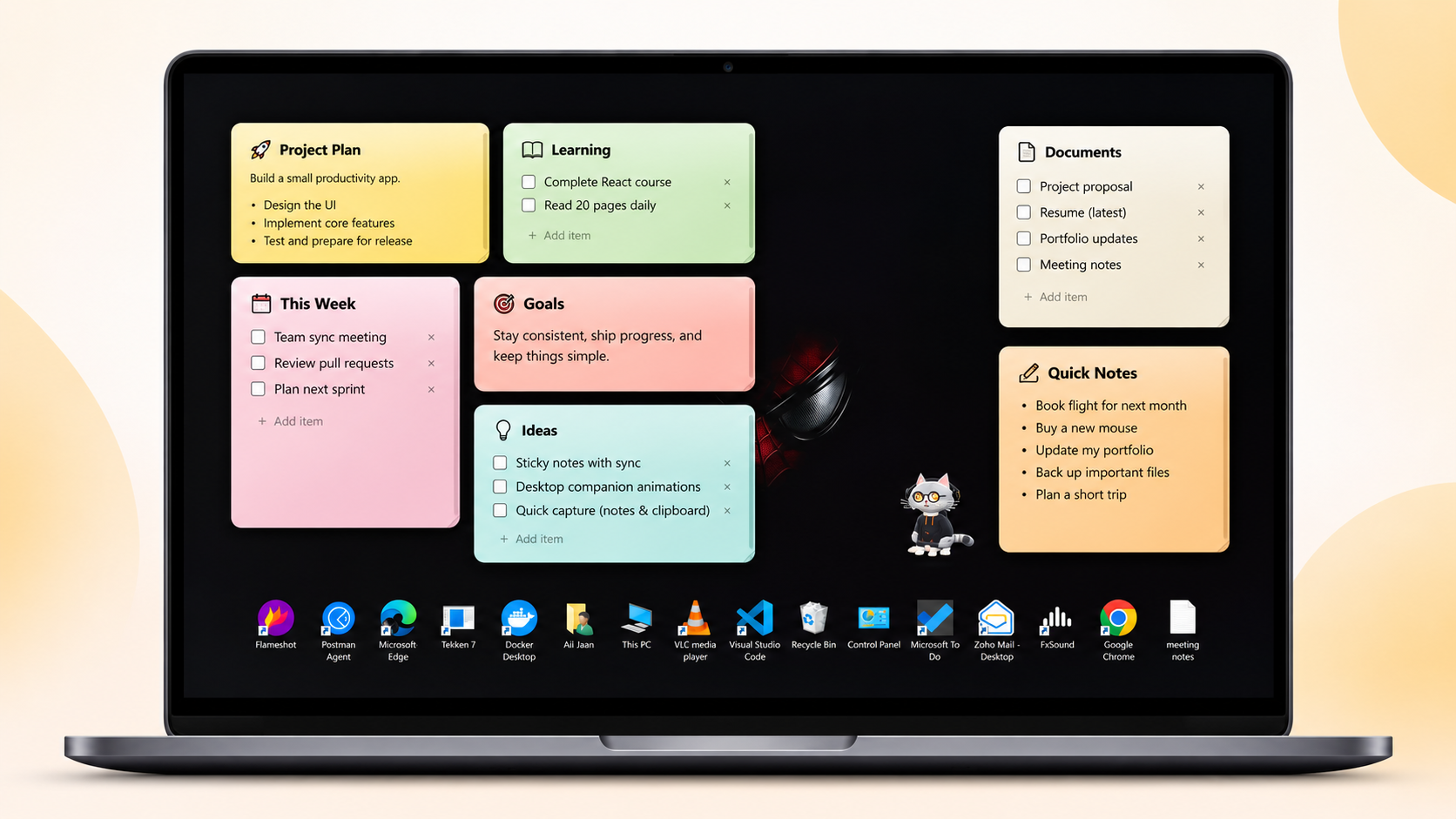
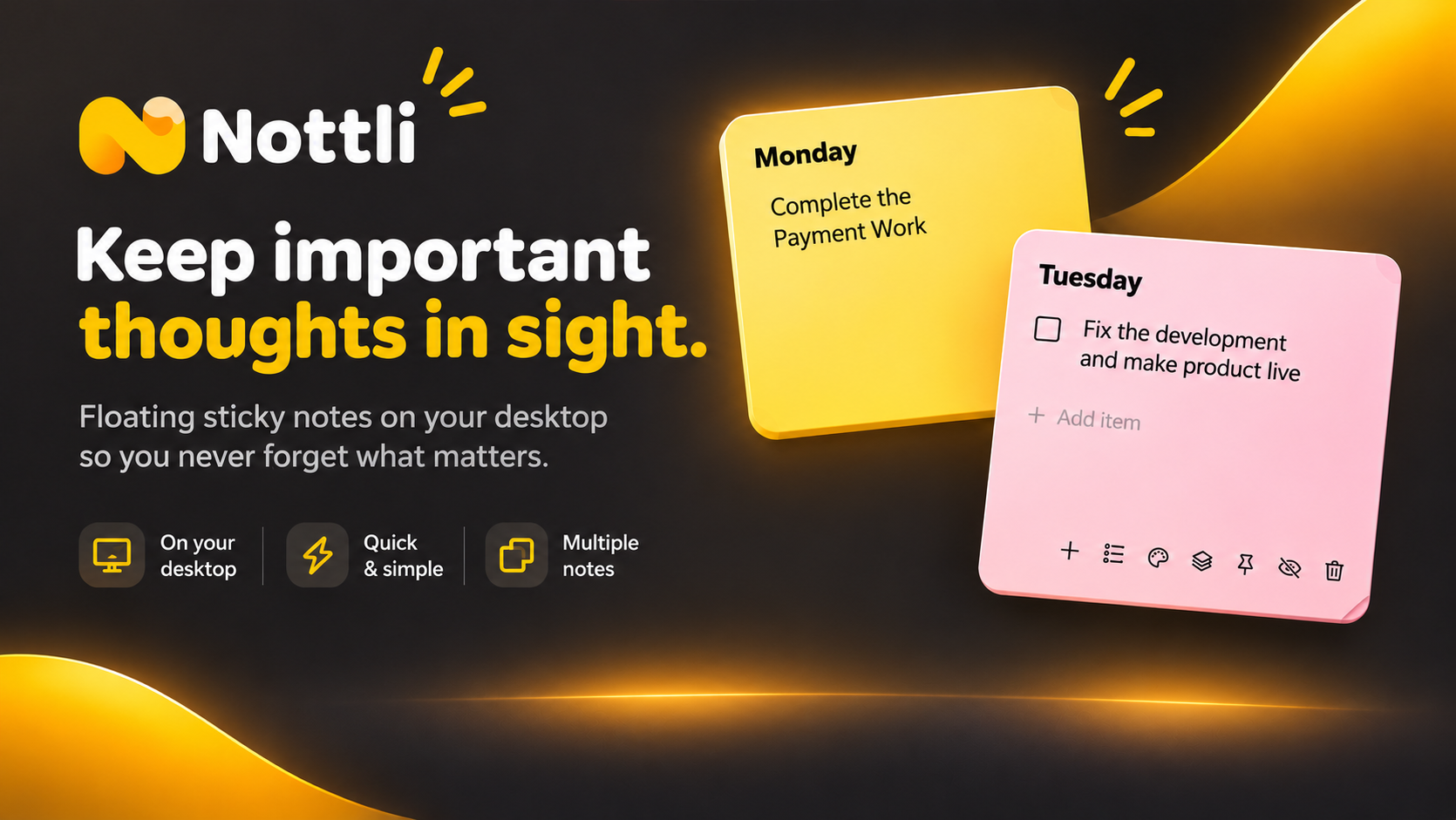
Create multiple floating notes directly on the Windows desktop so reminders stay visible while you work in other apps.

Notes workspace

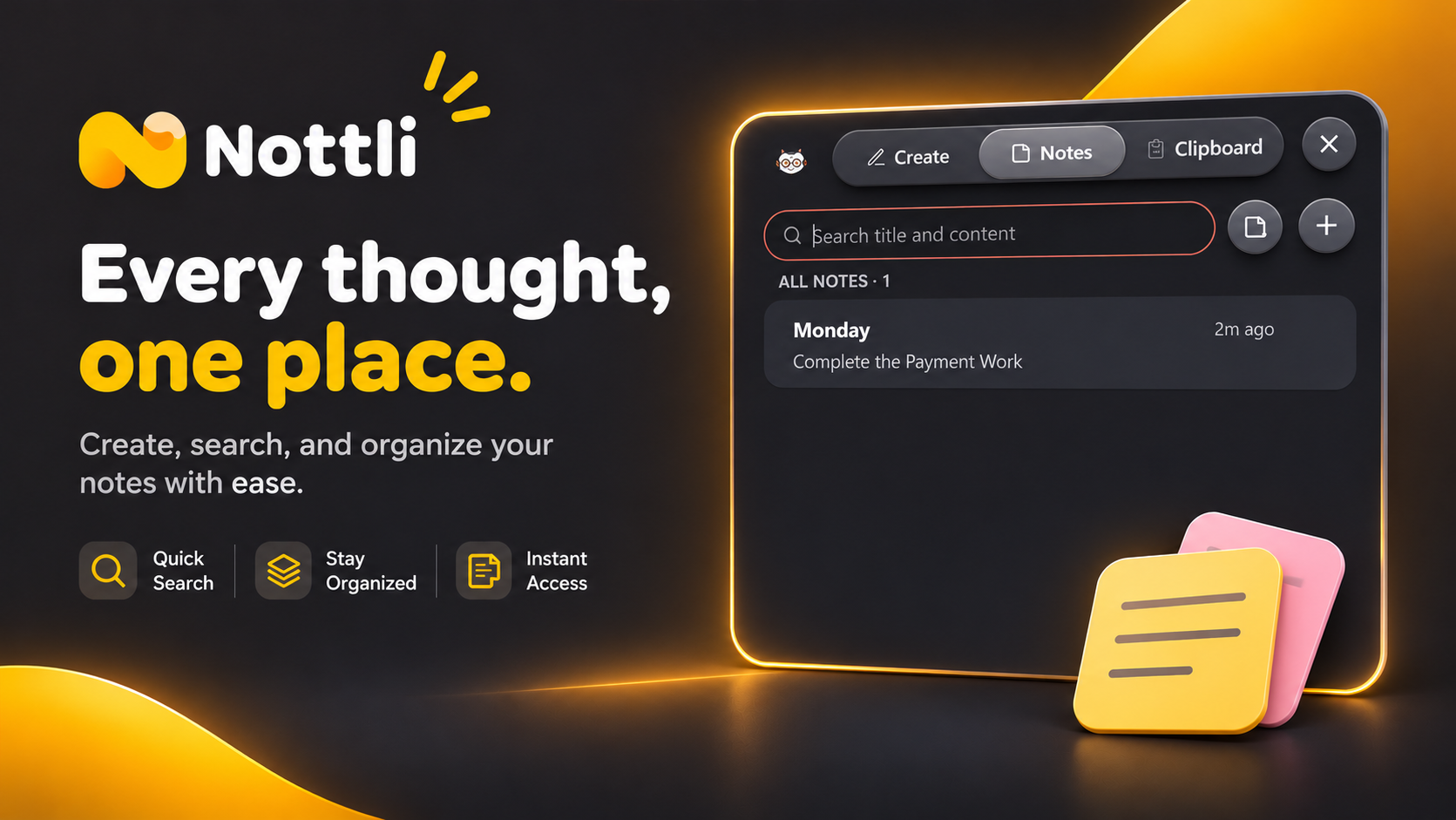
Browse, search, create, and edit every note from one centralized window, independent of whether it is on screen.

Clipboard history

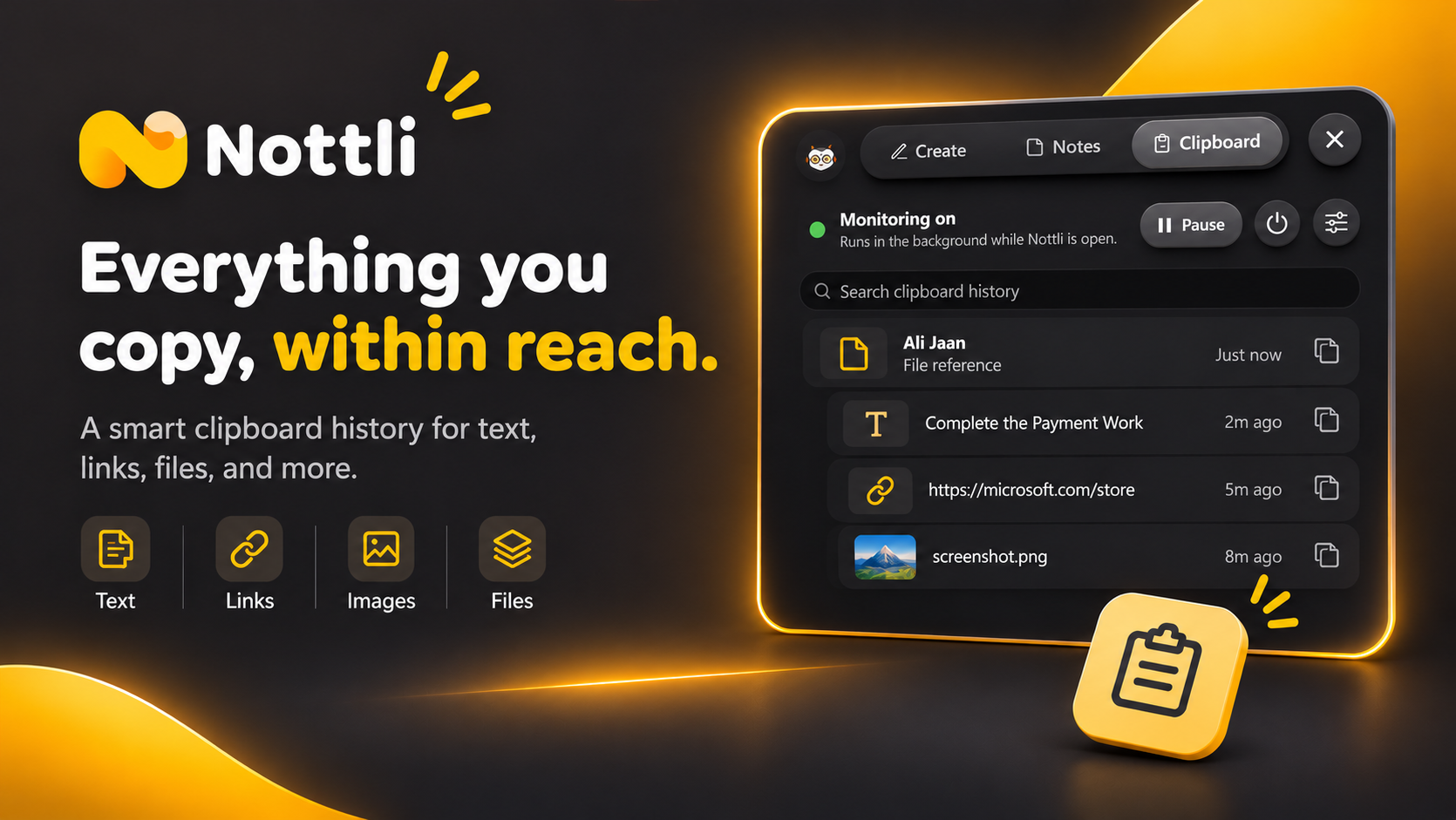
Capture copied text, links, images, and file references in the background, then search and re-copy them later.

The Problem

Small pieces of information keep slipping away

Reminders, links, code snippets, and images get scattered across applications and disappear when they are no longer on screen.

  • Important reminders get buried in documents or applications.
  • Capturing a quick thought means reopening a notes app.
  • Previously copied information is lost the moment something new is copied.
  • Simple tasks require switching between several tools.
  • Tasks are forgotten because they are not visible on the desktop.
  • Personal clipboard data raises concerns about where it is stored.

Everything within reach, in one place

Floating notes, a searchable workspace, clipboard history, and a desktop companion, all working from the same local data.

01 · Sticky notes

Floating desktop sticky notes

Independent notes that live on the desktop, each backed by the same shared notes data rather than a separate database.

  • Multiple independent notes with different colors and themes
  • Heading and descriptive content, or checklist-style notes
  • Move and resize notes to arrange your workspace
  • Hide a note without permanently deleting it
  • Manage every note from the central Notes workspace
Nottli: Sticky notes on the desktop
02 · Notes

Centralized notes workspace

A dedicated place to manage saved information without hunting for individual floating windows.

  • View previously created notes in one place
  • Search notes by title and content
  • Create new notes and open existing ones for editing
  • Manage notes independently of their desktop visibility
Nottli: Notes workspace
03 · Clipboard

Clipboard history manager

A native clipboard history that keeps capturing in the background, so copying something new no longer erases what came before.

  • Text, URLs, code snippets, Unicode text, and file references
  • PNG, JPEG, and supported Windows bitmap images with local previews
  • HTML and rich-text content where supported
  • Search, pin, remove, and re-copy saved entries
  • Duplicate detection and history preserved across restarts
Nottli: Clipboard history
04 · Privacy

Clipboard privacy & retention

Clipboard history can contain sensitive data, so collection and retention are under the user's control.

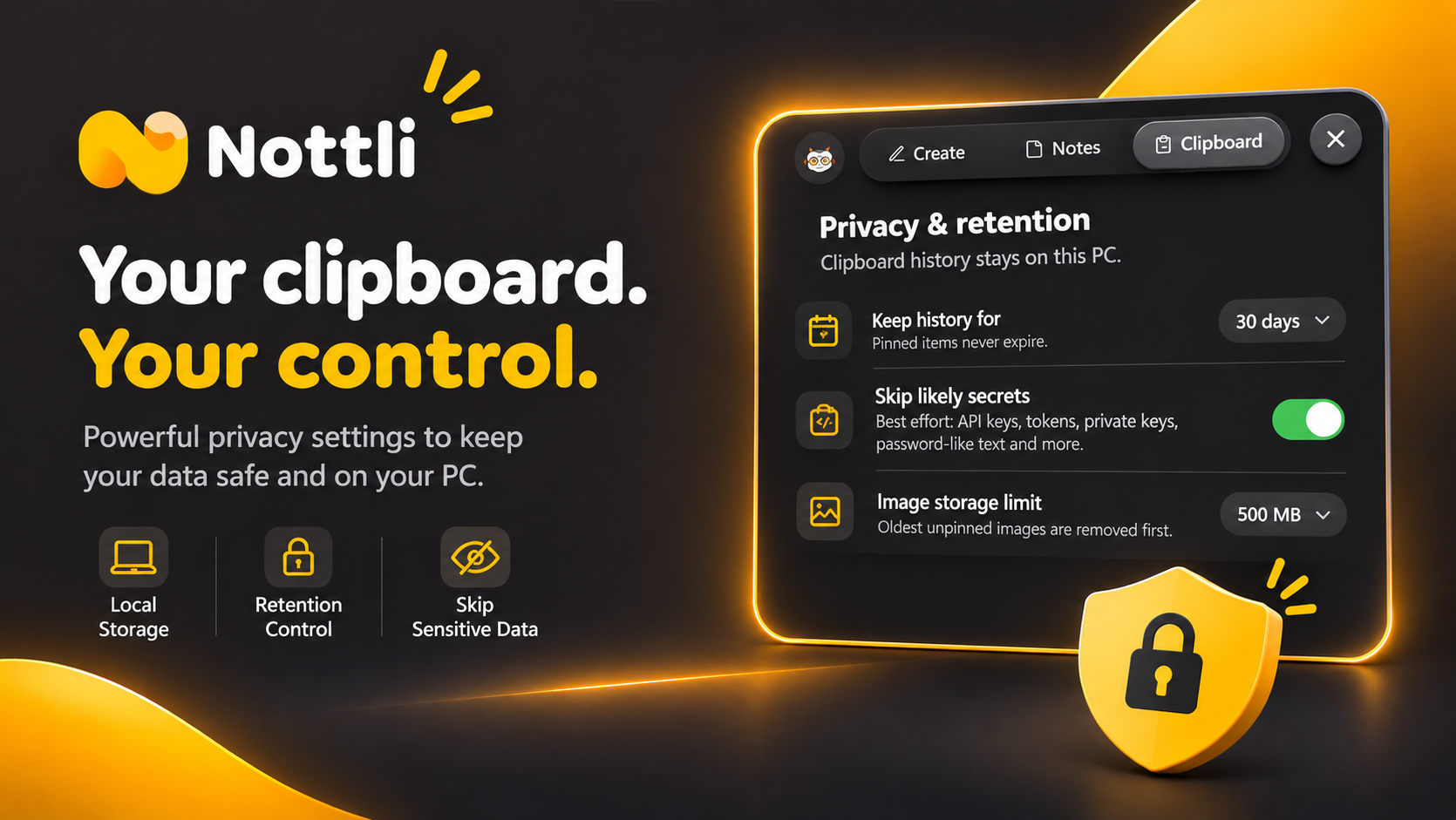
  • Monitoring can be enabled, paused, or disabled, and the choice persists
  • History is stored locally on the computer
  • Configurable retention periods and image storage limits
  • Pinned items are protected from normal expiration
  • Best-effort skipping of likely secrets such as API keys and private keys
  • Respects supported Windows clipboard exclusion flags
  • Clear unpinned items or the whole history

Sensitive-content detection is best-effort protection, not a guarantee that every secret will be identified.

Nottli: Privacy and retention settings
05 · Companion

Interactive 3D desktop companion

A custom developer-cat mascot gives Nottli a recognizable desktop presence and acts as the entry point to the workspace. It has glasses, headphones, a dark hoodie, and restrained orange details that match the brand.

  • Procedurally constructed 3D character with Three.js
  • Draggable floating pet window
  • Idle, walking, and interaction animations with different expressions
  • Lightweight SVG fallback when WebGL is unavailable
Nottli: The developer-cat desktop companion

Native Windows Experience

Nottli is built to feel like part of Windows rather than a website in a window, with Tauri connecting the React interface to native Rust functionality.

Frameless, transparent windowsAlways-on-top where appropriateSystem tray integrationGlobal keyboard shortcutsWindows startup integrationPersistent window positions

How It Works

From first launch to full history

  1. 01

    Launch Nottli

    Open it from the Start menu. The desktop companion appears as a small floating character.

  2. 02

    Create a sticky note

    Open the workspace, add a title and description or a checklist, and pick a color.

  3. 03

    Arrange your desktop

    Show notes as floating windows, move and resize them, and hide the ones you no longer need.

  4. 04

    Manage your notes

    Browse and search saved notes from the Notes section.

  5. 05

    Enable clipboard history

    Turn on monitoring in the Clipboard section so supported content is captured in the background.

  6. 06

    Retrieve what you copied

    Find earlier text, links, images, or files, copy them again, and pin the important ones.

Technical Architecture

Local-first, with Rust where it matters

React handles the interface, Rust handles direct operating-system integration, and SQLite keeps essential data on the machine.

Frontend

React + TypeScript + Zustand

  • Workspace and sticky-note interface
  • Notes management, search, and filtering
  • Clipboard history presentation
  • 3D mascot rendering

Native backend

Rust + Tauri 2

  • Windows clipboard notifications and extraction
  • Image processing and storage
  • Native window management
  • Cross-window communication

Data

SQLite + local files

  • Notes and clipboard metadata
  • Migrations that preserve existing data
  • Clipboard images stored as local files
  • No cloud account needed for core features

Engineering Challenges

Problems worth solving

01

Clipboard monitoring outside the UI

A frontend-only approach can't observe the clipboard when the workspace is closed. A native Windows clipboard listener in Rust receives update notifications, extracts supported content, and persists it, separating monitoring from the React window lifecycle.

02

Many clipboard formats

Images, file references, URLs, code, and rich text each need their own extraction and storage. The pipeline handles supported Windows formats separately, normalizes images, generates previews, keeps per-type metadata, and de-duplicates repeated entries.

03

Notes that behave like desktop objects

Each sticky note is its own desktop window, but all of them read from one SQLite-backed notes source, so on-screen visibility and centralized management stay in sync.

04

A companion that stays out of the way

Tauri's native window features provide transparent, frameless, floating windows with positioning. The mascot and the workspace are separate windows so one never blocks the other.

05

A mascot that feels alive but stays light

The developer cat is built procedurally with Three.js and React Three Fiber from reusable character components with animation states, plus a lightweight SVG fallback when WebGL is unavailable.

06

Local privacy and persistence

Local SQLite storage, configurable retention, monitoring controls, best-effort secret detection, and Windows exclusion flags work together, and preferences survive restarts.

Technology Stack

Built with

Tauri 2ReactTypeScriptRustSQLiteZustandThree.jsReact Three FiberViteTailwind CSS

Design Philosophy

Minimal and desktop-first: calm, accessible, and unobtrusive, with a clear separation between floating notes and centralized management. The identity pairs a warm yellow-orange accent with charcoal, cream, and neutral surfaces, with the developer cat as the companion and the Nottli symbol as the primary brand mark.

What Makes It Different

Tools that are usually separate, connected

  • Floating notes that live directly on the desktop
  • A centralized workspace connected to those notes
  • Native clipboard history across multiple content formats
  • Background monitoring independent of the workspace window
  • Local-first data storage
  • Native Windows integration
  • A custom interactive 3D desktop companion

Outcome

Nottli shows how a lightweight desktop utility can combine modern frontend development with native operating-system integration: React interfaces, Rust system programming, SQLite persistence, Windows clipboard APIs, native window management, and procedural 3D graphics in one cohesive, product-focused application.

Your thoughts, always within reach.